Most SharePoint migration and upgrade projects don’t fail during the move itself. They fail three weeks before cutover, when a step everyone assumed was “someone else’s job” never got done a permission map nobody documented, an integration nobody tested. This isn’t a “should you migrate” article. It’s a pre-cutover checklist for IT managers who’ve already committed to the move and need to get execution, validation, and security right the first time.
What a SharePoint Migration and Upgrade Actually Involves
To migrate SharePoint to Microsoft 365 is more than copying files into a new environment. It covers content migration, permissions and security remapping, metadata and version history preservation, and a validation pass to confirm everything actually works post-move. A simple file copy misses most of this permissions don’t carry over automatically, metadata can be dropped, and third-party integrations often break silently. Treating migration as “just moving files” is where most pre-cutover problems start.
Why Pre-Cutover Planning Matters More Than the Migration Itself
Most SharePoint migration failures trace back to skipped planning, not technical errors during the move. Broken permissions, lost metadata, and orphaned links are rarely caused by the migration tool they’re caused by nobody mapping the current environment before touching it. The technical move is often the easy part; the planning that should happen weeks earlier is where cutover dates actually get protected or lost.
The Pre-Cutover Checklist: What to Validate Before You Migrate
Before scheduling a cutover date, confirm each of these is done:
Content audit and cleanup– identify stale, duplicate, or redundant content before migrating it
Permissions and access mapping– document the current structure before it’s rebuilt in SharePoint Online
Metadata and version history plan– confirm what carries over and what doesn’t
Third-party integration inventory– list every connected tool that needs to keep working
Stakeholder communication plan– who needs advance notice, and what the fallback is
Test migration– a pilot run on a representative subset before the real one
Security and Compliance Checks Before Cutover
Migration isn’t just a content move, it’s a chance to either fix or inherit security gaps. Before cutover, confirm:
Access controls carry over correctly rather than defaulting to overly broad permissions in the new environment
Data residency requirements are preserved critical for regulated industries, not something to assume carries over automatically
Compliance settings are validated, not just copied a cutover that quietly loosens security just fails less visibly, until it doesn’t
SharePoint Migration Readiness: Common Mistakes That Delay Cutover
Mistake
Why It Delays Cutover
No content audit
Clutter and stale data slow validation
Skipping a pilot migration
Issues surface only after full cutover
No rollback plan
A failed cutover has no clear path back
Underestimating integrations
Connected tools break, discovered too late
No communication plan
Users hit broken links with no warning
DIY Migration vs Working With an Enterprise SharePoint Migration Partner
DIY migration can work for small, simple environments with few integrations. Beyond that, an enterprise SharePoint migration partner typically brings a repeatable pre-cutover process, structured permission mapping, and rollback planning most internal teams build from scratch under deadline pressure.
DIY Migration
Enterprise SharePoint Migration Partner
Pre-cutover process
Built from scratch, under time pressure
Repeatable, tested process
Permission handling
High risk of manual error
Structured mapping and validation
Rollback planning
Often missing
Built in from the start
Best for
Small, simple environments
Complex or regulated environments
How DigiSurface Supports Enterprise SharePoint Migration and Upgrade Projects
As a Microsoft IT consulting partner working across India and the GCC, DigiSurface’s SharePoint migration engagements are built around the exact checklist above, not a generic move-and-hope process. Support includes:
Pre-cutover content and permissions audit– mapping what exists before anything moves
Pilot migration and validation– testing on a representative subset before full cutover
Rollback planning– a documented path back if cutover doesn’t go as expected
Post-migration verification– confirming integrations and access controls work correctly after cutover
Frequently Asked Questions
What’s the difference between a SharePoint migration and a SharePoint upgrade?
A migration moves content between environments, such as on-premise SharePoint to SharePoint Online. An upgrade updates an existing SharePoint version without necessarily changing environments. Many enterprise projects involve both at once.
How long does it take to migrate SharePoint to Microsoft 365?
Timelines vary by content volume, number of integrations, and permission complexity. A small, well-planned migration can take weeks; a large enterprise environment with heavy customization can take several months, especially with a proper pilot phase included.
Will permissions and metadata transfer automatically during migration?
Not reliably. Permissions and metadata often need to be explicitly mapped and validated during migration, since a simple content copy frequently drops or misapplies both, causing access issues after cutover.
Do I need an enterprise SharePoint migration partner for a small migration?
Not necessarily. Small, low-complexity environments with few integrations can often be migrated internally. Larger or regulated environments typically benefit more from a partner’s structured process and rollback planning.
Close the Gaps Before Cutover, Not After
If your cutover date is set and any part of this checklist still has gaps, that’s the moment to close them, not after users are already locked out of broken links.
Book a consultation with DigiSurface to validate your SharePoint migration and upgrade plan before you commit to a cutover date.
It’s 11 PM before month-end closes, and an HR head is reconciling two spreadsheets that were never meant to talk to each other, one tracking PF and ESI deductions for the India office, another tracking WPS and GOSI filings for the Riyadh team. Neither system knows the other exists, so every discrepancy gets caught by hand, if it gets caught at all. This scene plays out every month at enterprises running payroll across India and the GCC on tools built for one country at a time. It’s not a staffing problem or a training gap, it’s what happens when the underlying software was never designed to hold two regulatory pictures at once. D365 HRMS and Payroll exist specifically to make that scene stop happening.
What Is D365 HRMS and Payroll?
D365 HRMS and Payroll is a payroll management system built on Microsoft Dynamics 365 that combines HR record-keeping with payroll processing, statutory compliance, and reporting in a single platform rather than running separate HRMS and payroll tools that need to be manually reconciled against each other every cycle.
India vs GCC Payroll Compliance at a Glance
Before getting into what a unified system solves, it helps to see just how different these two regulatory environments actually are:
Requirement
India
GCC
Statutory deductions
PF, ESI, TDS
GOSI (Saudi), pension schemes vary by country
Wage protection
Not a standalone system
WPS (Wage Protection System) mandatory in most GCC countries
Tax filing
GST-linked reporting, TDS returns
Varies by country; several have no personal income tax
Filing frequency
Monthly and annual filings
Monthly WPS submissions, periodic GOSI reporting
Regulator
EPFO, ESIC, Income Tax Department
Country-specific (GOSI, MOL, MHRSD, etc.)
None of these requirements overlap, which is exactly why a single-country tool built around only one column of this table struggles the moment an enterprise operates across both. Compliance calendars don’t sync either: India’s TDS returns run on a different filing rhythm than a GCC country’s monthly WPS submission, which means a system built with only one region’s calendar in mind ends up forcing manual workarounds for the other, every single cycle.
Why Generic HR Payroll Software Falls Short for Multi-Country Operations
Most HR payroll software on the market is built around one country’s compliance rules, with everything else treated as a customization or a workaround. This is where the distinction between generic HR payroll management software and a purpose-built multi-country system matters most: running India and GCC operations on tools designed for a single region usually means duplicate employee data entry across systems, payroll reports that don’t reconcile against each other, and compliance gaps that stay invisible right up until an audit finds them. The 11 PM spreadsheet reconciliation isn’t a process failure it’s what happens when the underlying software was never built to hold both regulatory pictures at once.
Signs Your Organization Has Outgrown Single-Country Payroll Tools
A few patterns tend to show up consistently once an enterprise has outgrown what its current payroll setup can handle:
HR or finance manually cross-checks numbers between two or more systems every payroll cycle
A new country or entity requires standing up an entirely separate payroll tool, rather than configuring the existing one
Compliance updates (a new GOSI rate, a TDS slab change) require IT intervention rather than a routine system update
Payroll reporting can’t be viewed centrally leadership sees India numbers and GCC numbers as two disconnected reports, never one
If two or more of these sound familiar, that’s usually the point where a unified system stops being a nice-to-have and starts being the more cost-effective option.
Top Benefits of a D365-Based Payroll Management System
Once HR and payroll run on the same Dynamics 365 foundation, several benefits show up immediately:
Unified HRMS and payroll– one system instead of stitching together separate HR and payroll tools that were never designed to sync
Built-in multi-country compliance– GST, PF, ESI, and TDS for India; WPS and GOSI for the GCC, handled within the same platform rather than as bolt-on modules
Real-time reporting– Power BI-driven visibility into payroll costs and HR metrics across every location, in one dashboard instead of several
Scalability– adding a new country or entity means configuring the existing system, not standing up a new one from scratch
Reduced manual errors– automated calculations replace manual reconciliation across disconnected spreadsheets, closing the exact gap that causes the 11 PM scramble
Cloud-Based Payroll Software vs Traditional On-Premise HR Systems
The deployment model matters almost as much as the compliance coverage itself:
Traditional/On-Premise HR Payroll
Cloud Based Payroll Software (India/GCC)
Multi-country compliance
Manual updates per region
Built-in, centrally maintained
Access
Location-locked
Accessible across offices and countries
Updates for regulatory change
IT-dependent, slower to roll out
Vendor-managed, faster rollout
Reporting
Siloed per location
Centralized, real-time
Scaling to a new country
Significant rebuild
Configuration, not rebuild
How DigiSurface Delivers D365 HR Payroll for India & GCC Enterprises
This isn’t a theoretical feature list, it’s work DigiSurface has done directly for enterprises operating across both regions. DigiSurface’s D365 HR payroll implementations handle:
India localization– GST-linked reporting, PF, ESI, and TDS configuration built directly into Dynamics 365, not layered on as a separate add-on
GCC localization– WPS and GOSI compliance configured for country-specific requirements across Saudi Arabia, the UAE, Oman, and beyond
Single-platform HRMS and payroll– one system for HR records and payroll processing, eliminating the reconciliation work between separate tools
Ongoing compliance updates– reconfiguration as regulatory requirements change, rather than a support ticket every time a rate or filing rule shifts
Frequently Asked Questions
What is D365 HRMS and Payroll?
D365 HRMS and Payroll is a payroll management system built on Microsoft Dynamics 365 that combines HR record-keeping with payroll processing and statutory compliance in a single platform, allowing organizations to manage employee data, payroll calculations, and regulatory reporting without relying on separate, disconnected systems.
Can one payroll system handle both India and GCC compliance requirements?
Yes, when the system is specifically configured for both regions. A properly localized D365 HR payroll implementation can handle India’s PF, ESI, TDS, and GST-linked reporting alongside GCC requirements like WPS and GOSI within the same platform, rather than requiring separate tools for each region.
What’s the difference between HRMS and a payroll management system?
HRMS (Human Resource Management System) typically covers employee records, attendance, and HR processes, while a payroll management system focuses specifically on wage calculation, statutory deductions, and compliance filing. A combined HRMS and payroll solution merges both functions into a single platform, reducing the need to reconcile data between two separate systems.
Is cloud based payroll software secure for sensitive employee data?
Cloud based payroll software in India and the GCC, from established providers like Microsoft, typically includes enterprise-grade security, role-based access controls, and compliance certifications, making it a secure option for handling sensitive employee and payroll data when properly configured and localized for regional data requirements.
Stop Reconciling Payroll by Hand Every Month
If your organization is still manually cross-checking payroll numbers between an India system and a GCC system every cycle, that’s a solvable problem, not a permanent cost of doing business across both regions.
Book a consultation with DigiSurface to see what a unified D365 HR and Payroll setup looks like for your specific mix of countries and entities.
Most enterprises evaluate Dynamics 365 Power Platform as a tool to decide which licenses to buy, which modules to enable, and what the pricing tier covers. That’s the wrong frame, and it’s usually the reason a Power Platform rollout underdelivers. The tool itself is rarely what determines whether the investment actually pays off. The implementation partner configuring it around your business is.
What Power Platform Actually Includes
Microsoft Power Platform is a connected suite spanning Power BI for reporting, Power Apps for custom application building, Power Automate for workflow automation, and Power Virtual Agents for conversational AI all designed to work alongside Dynamics 365 to extend reporting, automate processes, and build tools specific to how an enterprise operates. Out of the box, it’s a generic toolkit: Power BI turns raw ERP data into dashboards, Power Apps lets teams build lightweight internal tools without a full development cycle, and Power Automate handles the repetitive work sitting between systems, like routing an invoice for approval. None of these are exotic capabilities but none of them do anything useful until someone builds the specific workflow, dashboard, or app the business actually needs, which is the part a license alone never covers.
Why the Tool Alone Doesn’t Deliver ROI
This is where most Power Platform investments quietly stall. A business buys the licenses, enables the modules, and expects the ROI to follow but Power Platform generates value by being configured around real workflows, not by existing. Left in its default state, Power BI shows generic reports and Power Apps sit empty because nobody’s built the app finance actually needs. This is exactly the gap a Dynamics 365 FnO consulting company exists to close not by selling more licenses, but by turning a generic toolkit into something built around your actual processes. The failure pattern is almost always the same: licenses purchased, adoption stalls within months, and the ROI never materializes not because the tool was wrong, but because nobody configured it around the business using it.
What a Power Platform Consulting Partner Actually Does
A genuine consulting partner does work that a self-service rollout typically skips entirely:
Needs and workflow assessment– mapping what the business actually needs before configuring a single module
Integration with existing Dynamics 365 F&O systems– connecting Power Platform directly to finance and operations data instead of leaving it siloed as a standalone tool
Custom app and automation development– building the specific Power Apps and Power Automate flows a generic, self-service rollout wouldn’t include
Governance and security configuration– role-based access, data governance, and compliance alignment built in from the start, not patched in after an audit flags a gap
User adoption and training– the actual difference between licenses purchased and a tool people use every day
DIY Power Platform Rollout vs Working With a Consulting Partner
Laid out side by side, the practical gap becomes clear:
DIY Rollout
Working With a Consulting Partner
Configuration
Generic, default settings
Built around actual business workflows
D365 F&O integration
Often manual or incomplete
Native, structured integration
Time to adoption
Slower, trial and error
Faster, guided rollout
Governance
Frequently an afterthought
Built in from the start
Long-term ROI
Inconsistent, license cost often exceeds realized value
Tied directly to configured use cases
This is also where DigiSurface’s broader ERP consulting services come in. Power Platform rarely delivers its full value in isolation from the rest of an enterprise’s Dynamics 365 and ERP architecture, which is why it’s worth evaluating as part of that bigger picture rather than a standalone add-on.
How DigiSurface Works as Your Power Platform Consulting Partner
DigiSurface’s real-world proof point here is COFCO’s multi-country Dynamics 365 rollout, where Power Platform wasn’t bolted on separately but built into the same standardized, multi-country implementation supporting consistent reporting and process visibility across four countries rather than four disconnected local setups. As a Dynamics 365 FnO consulting company with Power Platform expertise layered directly on top of that F&O work, DigiSurface supports enterprises through:
Power BI dashboard design– built around the specific metrics finance and operations teams actually track
Power Apps and Power Automate build-out– custom apps and workflows matched to real approval chains and processes, not generic templates
Dynamics 365 F&O integration– Power Platform connected natively to existing finance and operations data
India and GCC localization tie-in– Power Platform workflows configured around GST, PF, ESI, and GOSI requirements, since payroll and compliance data frequently flow directly through these tools
Frequently Asked Questions
What is Microsoft Power Platform?
Microsoft Power Platform is a suite of business applications from Microsoft including Power BI for data visualization and reporting, Power Apps for building custom applications, Power Automate for workflow automation, and Power Virtual Agents for conversational AI, designed to work alongside Dynamics 365 and other Microsoft tools to extend reporting and automate business processes.
Do I need a consulting partner to use Power Platform, or can I set it up myself?
Power Platform can technically be set up independently, but its value comes almost entirely from how it’s configured around a specific business’s workflows and data. Without that configuration work, most organizations end up with generic dashboards and unused modules rather than the automation and reporting improvements the platform is capable of delivering. A consulting partner typically shortens the gap between “licenses purchased” and “workflows actually running” from months of trial and error to a structured, guided rollout.
How does Power Platform integrate with Dynamics 365 Finance & Operations?
Power Platform integrates natively with Dynamics 365 Finance & Operations, allowing Power BI to report directly on finance and operations data, Power Automate to trigger workflows based on ERP events, and Power Apps to build custom interfaces connected to live F&O data, rather than requiring separate manual data exports or duplicate data entry between systems.
What does a Dynamics 365 FnO consulting company actually do?
A Dynamics 365 FnO consulting company implements, customizes, and integrates Dynamics 365 Finance & Operations alongside related tools like Power Platform, tailoring configuration, workflows, and reporting to a specific enterprise’s processes rather than deploying a generic, out-of-the-box setup. This typically includes everything from initial needs assessment through go-live support and ongoing reconfiguration as the business evolves.
Turn Your Power Platform Licenses Into Actual ROI
If your organization has already purchased Power Platform licenses but adoption hasn’t taken off, that’s almost always a configuration problem, not a tool problem. The platform itself isn’t the bottleneck, the missing workflow mapping, the unbuilt integration, the dashboard nobody customized, usually is. Book a consultation with DigiSurface to see how a properly configured Power Platform rollout, integrated with your Dynamics 365 F&O environment, is supposed to work.
Banks don’t really have a data volume problem. They have a data trust problem. Every pipeline moving customer, transaction, or payment data has to be able to prove, on demand, where that data came from, where it went, and that it never crossed a jurisdiction it wasn’t allowed to. That’s a fundamentally different job than moving data around for a quarterly sales dashboard, and it’s exactly why custom ETL implementation for banks exists as its own category of off-the-shelf ETL tools weren’t built to carry that burden by default.
What Makes Bank ETL Different From Standard ETL
Standard ETL tools exist to move and transform data quickly, usually optimized for reporting speed and ease of setup. Bank ETL has to do all of that while also guaranteeing something most business dashboards never need to prove: full data lineage, jurisdiction-aware processing, and an audit trail a regulator can actually inspect. A retail company’s ETL pipeline failing an audit means an awkward internal meeting. A bank’s ETL pipeline failing one can mean regulatory action, reporting penalties, or a forced pause on operations until the gap is fixed. That difference in stakes is the entire reason banks generally can’t just plug in a generic ETL tool and call it compliant the tool might move the data correctly, but it usually can’t prove it did so in the way a regulator requires.
The Core Compliance Pressures Shaping Bank Data Pipelines Today
In India, the Reserve Bank of India’s 2018 directive on the storage of payment system data requires payment system providers to store the complete end-to-end transaction data only on systems located within India. Foreign processing of the foreign leg of a cross-border transaction is permitted, but that data has to be deleted from overseas systems and brought back into India within 24 hours or one business day, whichever comes first. That’s not a suggestion, it’s a specific, auditable requirement that a bank’s ETL pipeline has to be architected around, not bolted onto afterward.
Across the GCC, the same pressure plays out through different regulators:
Saudi Arabia– SDAIA enforces strong data localization expectations under its PDPL
UAE– Federal Decree-Law 45/2021 governs cross-border data transfer mechanics
Oman– PDPL Executive Regulations, fully in force since February 2026, add in-country processing requirements for regulated sectors, banking chief among them
For a bank operating across more than one of these markets, a pipeline built loosely around “best practices” instead of each regulator’s actual requirements is a compliance gap waiting to surface during an audit and these requirements rarely stay still. Oman’s own Executive Regulations existed on paper for years before enforcement caught up to them, which is exactly why a pipeline architected only to pass today’s audit tends to need a partial rebuild the next time a regulator updates its guidance.
What a Compliant Custom ETL Pipeline Actually Needs
Regardless of which regulator is involved, a handful of requirements show up consistently across every jurisdiction:
Data lineage tracking– every transformation a piece of data goes through needs to be logged and traceable back to its source, not just the final output
In-country processing– regulated data shouldn’t cross a border during transformation, not just at rest in storage
Regulatory reporting formats built in– pipeline output structured for what the specific central bank or regulator actually requires, rather than a generic export that needs manual reformatting
Role-based access and audit trails– a clear record of who touched what data, and when, available on demand
Resilience to regulatory change– a pipeline that can be reconfigured as reporting requirements evolve, without requiring a full rebuild each time
Off-the-Shelf ETL vs Custom ETL for Banks: What Changes
Laid out side by side, the practical gap between a generic tool and a bank-specific build becomes clear:
Off-the-Shelf ETL
Custom ETL for Banks
Data lineage
Often limited or bolted on after the fact
Built in from the start
Regulatory reporting
Generic exports, manual reformatting required
Structured to match regulator-specific formats
Data residency control
Depends on the vendor’s own infrastructure
Architected for in-country processing by design
Auditability
Basic logging
Full audit trail by design
Adaptability to new rules
Requires vendor updates or manual workarounds
Reconfigurable by the team that built it
Real-World Proof: The Central Bank of Oman Engagement
This isn’t a theoretical framework, it’s the exact problem DigiSurface has already solved in production. As part of its data analytics consulting services work, DigiSurface built an enterprise BI data lake for the Central Bank of Oman on Oracle Cloud Infrastructure, designed specifically to support regulatory reporting and financial stability monitoring without data ever leaving the country. The pipeline had to satisfy exactly the requirements laid out above in-country processing, structured regulatory output, and an architecture built for ongoing central bank oversight not as an add-on feature, but as the starting design requirement.
That distinction matters more than it might sound. A pipeline that adds compliance features on top of an existing generic ETL setup is still, underneath, a generic pipeline with a compliance layer bolted on and bolted-on layers tend to be the first thing that breaks when a regulator’s requirements shift. Designing for residency, lineage, and reporting from day one, the way the Central Bank of Oman engagement was built, produces a pipeline that holds up under exactly the kind of scrutiny a central bank applies, rather than one that merely looks compliant until it’s tested.
DigiSurface’s Enterprise Data Management Services for Banks
For banks evaluating whether their current ETL setup can actually hold up under regulatory scrutiny, DigiSurface’s enterprise data management services cover the specific gaps most generic tools leave open:
Custom ETL pipeline design– built around each bank’s specific regulatory reporting requirements, not a generic template
Data residency-first architecture– in-country processing designed in from the start, not configured as an afterthought
Regulatory reporting integration– pipelines structured to output directly into the formats a specific regulator requires
Ongoing pipeline support– reconfiguration as reporting requirements change over time, without starting the build over from scratch
Is Your Banking Data Pipeline Regulatory-Ready?
Don’t wait for an audit to uncover gaps in data lineage, residency, or regulatory reporting. Talk to DigiSurface’s data engineering experts to assess your current ETL architecture and build a compliant, scalable pipeline designed for your regulatory environment.
Custom ETL for banks is a data pipeline built specifically around a bank’s regulatory reporting, data residency, and audit requirements, rather than a generic ETL tool used for general business reporting. It typically includes built-in data lineage tracking, in-country processing, and output formatted to match what a specific regulator requires.
Why can’t banks use standard, off-the-shelf ETL tools?
Standard ETL tools are generally built for reporting speed and ease of setup, not for the auditability and jurisdiction-aware processing banks are required to demonstrate. Off-the-shelf tools often lack built-in data lineage tracking and residency controls, requiring significant customization before they can meet banking-grade compliance requirements.
Does ETL for banks need to keep data within the country?
In most cases, yes. Regulations like India’s RBI directive on payment system data storage require payment-related data to be stored and largely processed within the country, with strict limits on how long data can be processed abroad before being returned. Similar in-country processing expectations apply across GCC banking regulators.
How does DigiSurface ensure ETL pipelines meet banking compliance requirements?
DigiSurface designs ETL pipelines with data residency, lineage tracking, and regulatory reporting formats built in from the initial architecture, rather than added after deployment. This approach was directly applied in DigiSurface’s work with the Central Bank of Oman, building a compliant enterprise data lake for regulatory reporting and financial stability monitoring.
Is Your ETL Pipeline Ready for a Regulatory Audit?
If your current pipeline can’t produce a full data lineage report or prove in-country processing on demand, that’s not a hypothetical risk, it’s a gap that surfaces the moment a regulator asks. Book a consultation with DigiSurface to map a custom ETL pipeline built for the level of scrutiny banking data actually requires.
The real blocker holding back AI adoption across the GCC usually isn’t budget, and it isn’t model quality either. It’s a simpler, unresolved question: the moment an employee types or speaks a query into an AI assistant, where does that data actually go? For enterprises handling regulated data, payroll records, customer information, internal compliance queries that question doesn’t have a comfortable answer with most cloud AI tools. An on-premise AI chatbot answers it by design, not as an afterthought, keeping every query inside the organization’s own infrastructure rather than routing it through a third-party server somewhere else in the world.
What an On-Premise AI Chatbot Actually Is
An on-premise AI chatbot processes and stores conversation data entirely within an organization’s own infrastructure, rather than routing queries through a third-party cloud provider’s servers. This is distinct from a self-hosted LLM for enterprise deployment more broadly the LLM is the underlying model doing the reasoning, while the chatbot is the interface employees or customers actually interact with. You can self-host the model and still expose it through a poorly architected chatbot that leaks data elsewhere; a properly built on-premise chatbot keeps the entire chain, from query to response, inside the organization’s perimeter.
Why Cloud Chatbots Create a Compliance Problem in the GCC
Here’s where most enterprises get caught off guard: selecting a Gulf-region setting in a cloud AI dashboard does not automatically satisfy local data processing law. Even “region-selected” cloud chatbots can still log, cache, or process data outside the country during model inference, creating direct exposure under data residency GCC regulations. In Oman specifically, the Communications and Information Technology Regulatory Authority (CITA) oversees telecom and data-related compliance, and enterprises deploying AI tools that touch regulated data need their architecture not just their vendor’s marketing page to satisfy those requirements. This is the gap an on-premise deployment closes structurally, rather than relying on a settings toggle to do it for you.
Where This Shows Up: HR and IT Helpdesk Voice Queries
This isn’t an abstract compliance concern; it shows up in some of the most common internal AI use cases enterprises are already deploying. An employee asking an AI assistant a payroll-related question, something touching GOSI-linked salary, benefits, or deduction data is a genuinely sensitive query, even though it feels routine to the person asking it. The same applies to IT helpdesk voice queries, where an employee might speak a question aloud rather than type it. If that voice query gets routed through an external speech-to-text API before the AI model ever processes it, sensitive employee data has already left the organization’s infrastructure before the “AI” part even happens. This is exactly the gap a hybrid voice chatbot is built to close keeping voice processing local for sensitive HR and payroll and IT queries, while still giving employees a natural, spoken interface instead of forcing everything through a text box.
On-Premise vs Cloud vs Hybrid Voice Chatbot: What Changes
Laid out side by side, the practical differences in where data actually travels become clear:
Cloud Chatbot
On-Premise AI Chatbot
Hybrid Voice Chatbot
Where data is processed
Third-party servers, often outside the country
Entirely within the organization’s infrastructure
Sensitive queries on-premise, general queries to cloud
Voice query handling
Often routed through external speech-to-text APIs
Speech processing kept in-house
Voice processed locally, non-sensitive follow-ups may route to cloud
Compliance fit for CITA-region rules
Weakest
Strongest
Case-by-case, depends on data classification
Best for
Low-sensitivity, general queries
HR, payroll, and other regulated internal data
Enterprises transitioning from cloud to full on-premise
Setup complexity
Lowest
Highest
Moderate
The Regulatory Backdrop: CITA and the Wider GCC Picture
Oman’s CITA doesn’t operate in isolation it sits within a broader regional shift toward stricter data processing rules that any enterprise deploying an on-premise AI for GCC operations needs to track:
Country
Regulator
What It Means for AI Chatbot Deployment
Oman
CITA / MTCIT
Telecom and data compliance oversight; PDPL Executive Regulations fully in force since Feb 2026
Saudi Arabia
SDAIA
PDPL enforcement with strong data localization expectations
UAE
UAE Data Office / DIFC / ADGM
Federal Decree-Law 45/2021, with 2026 Executive Regulations clarifying cross-border data flows
Qatar
NCSA
Law No. 13/2016, less prescriptive on cross-border AI processing than neighbors
Bahrain
DPA
Strictest enforcement regime, including criminal penalties for violations
What to Check Before Deploying an On-Premise AI Chatbot
Before committing to a full on-premise build, it’s worth working through a short checklist most enterprises skip in their rush to deploy something quickly:
Classify your queries first– separate genuinely sensitive queries (payroll, HR, customer financial data) from general ones (IT password resets, office FAQs), since not everything needs the same level of protection
Confirm where voice processing actually happens– a chatbot can be “on-premise” for text while still routing voice through an external speech API; ask specifically about the full pipeline, not just the model
Check your specific regulator’s requirements– CITA’s expectations for Oman-based operations differ from SDAIA’s for Saudi Arabia, so a single generic compliance answer usually isn’t accurate
Consider a phased hybrid rollout– moving straight to a full on-premise deployment isn’t always necessary; a hybrid AI chatbot can reduce exposure immediately while a longer-term architecture is built out
How DigiSurface Deploys On-Premise and Hybrid AI Chatbots
Getting this architecture right takes more than picking a vendor with an “on-premise” checkbox in their pricing page. DigiSurface’s AI solutions for enterprise clients across the GCC are built around exactly the questions raised above:
On-premise AI chatbot architecture – deployed so conversation data, documents, and model outputs stay within your own infrastructure by design
Hybrid voice chatbot deployment for HR and IT helpdesk use cases where voice queries need to stay local without forcing a full on-premise rebuild on day one
CITA-aligned compliance mapping – assessing which of your current AI workloads actually meet Oman’s data processing requirements, and which don’t
Query classification support -helping teams separate sensitive HR/payroll queries from general ones before deployment, so the architecture matches the actual risk
This isn’t about pushing every enterprise toward the most complex build available, it’s about matching the deployment to what your data actually requires.
Frequently Asked Questions
What is an on-premise AI chatbot?
An on-premise AI chatbot is an AI assistant deployed on infrastructure an organization controls directly, meaning conversation data, documents, and model outputs are processed and stored entirely within the organization’s own environment rather than on a third-party cloud provider’s servers. This is particularly relevant for enterprises handling regulated data, such as HR, payroll, or customer financial information.
Does Oman’s CITA require on-premise AI for enterprises?
CITA doesn’t mandate on-premise AI outright, but it does oversee telecom and data processing compliance in Oman, and enterprises handling regulated data need their AI deployment to satisfy those requirements. For many regulated use cases, an on-premise or hybrid architecture is the more reliable way to meet that compliance bar than a cloud-only deployment.
What is a hybrid voice chatbot?
A hybrid voice chatbot processes sensitive voice queries locally, on-premise, while routing general, non-sensitive follow-up questions to a cloud-based model. This approach lets enterprises offer a natural, spoken interface for employees or customers without exposing sensitive data through external speech-to-text or cloud AI processing.
Can an on-premise AI chatbot handle voice queries in Arabic and English?
Yes, on-premise AI chatbots can be configured to handle voice queries in multiple languages, including Arabic and English, with the speech processing itself kept local rather than routed through an external, cloud-based language API.
Deploy AI Without Sending Your Data Somewhere Else
If your enterprise is fielding HR, payroll, or IT helpdesk queries spoken or typed that touch regulated employee or customer data, the deployment architecture matters as much as the AI model itself. Book a consultation with DigiSurface to map an on-premise or hybrid voice chatbot deployment that actually fits your compliance requirements, instead of assuming a cloud tool’s region setting has you covered.
Facing AI deployment or data privacy challenges?
If your enterprise is already exploring AI or you are unsure whether your current AI setup meets your data, security, and compliance requirements we can help.
Let DigiSurface assess your use case and design an on-premise or hybrid AI solution built around your enterprise’s specific needs. – Book Free 10-Hour Consultation
A firm with one office can survive on shared drives, spreadsheets, and a filing cabinet’s worth of institutional memory. A firm with three or four offices can’t. The moment a second location opens, matter data, documents, and billing start quietly drifting out of sync; a client file updated in one office doesn’t reflect in another, the same cost gets logged twice, and by the time anyone notices, reconciling it eats hours nobody billed for. That drift is exactly what cloud-based law firm software is built to solve.
What Is Law Firm Management Software?
Law firm management software is a system that centralizes the core operations of running a legal practice tracking cases and matters, managing documents, and handling billing and finance in one platform instead of scattered tools. It typically spans three overlapping categories: practice or case management (tracking matters, clients, and deadlines), document management (storing and version-controlling files), and legal billing software (tracking billable time, costs, and invoicing). Firms often buy one category assuming it covers the others, then discover gaps which is usually where multi-office confusion starts.
Why Multi-Office Firms Specifically Feel the Pain
Every one of these problems gets worse with a second location, not just bigger:
Duplicate client and matter entries creep in when each office maintains its own records instead of a shared system. Document versions fall out of sync when one office edits a contract locally while another works from an outdated copy. Firm leadership loses a single view of billable hours and matter status because each office’s data lives in its own silo. And finance teams end up manually reconciling costs that were allocated to the wrong matter, the wrong office, or entered twice — the exact “dual entry” problem that eats into billable time without anyone directly causing it, and the same kind of multi-entity reconciliation gap DigiSurface resolves for finance teams through Dynamics 365 Finance & Operations implementations.
Core Capabilities of a Modern Law Practice Management System
A law practice management system built for multi-office firms needs to cover four things well, not just one:
Legal case and matter management — a single record per matter, visible and consistent whether it’s opened from the head office or a branch
Legal document management — a centralized, version-controlled repository, so no office is ever working from a stale copy
Legal billing software — matter-based cost allocation and tax configuration handled systematically, instead of re-entered by hand in each office
Knowledge management — a shared firm-wide repository for precedents, templates, and internal best practices, so institutional knowledge isn’t trapped in one office
Local Drives vs. Cloud-Based Systems: What Changes for a Multi-Office Firm
Laid out side by side, the operational gap between office-by-office tools and a unified cloud system becomes clear:
Local drives / siloed tools
Cloud-based law firm software
Document access
Office-specific, prone to version conflicts
One repository, accessible firm-wide
Matter visibility
Fragmented across offices
Centralized, real-time
Billing accuracy
Manual entry, dual-entry errors
Automated cost allocation per matter
Tax handling
Manual, handled office-by-office
Configured and mapped centrally
Scaling to a new office
Processes rebuilt from scratch
New office plugs into the existing system
How DigiSurface’s Law Firm Management Solution Fits
DigiSurface’s Law Firm Management solution is built specifically around these gaps, one integrated platform instead of separate tools stitched together per office. Here’s what that looks like in practice:
The result: leadership gets real visibility across every location, and the administrative load that usually falls on individual offices gets automated instead.
Frequently Asked Questions
What is law firm management software?
Law firm management software is a platform that centralizes case and matter tracking, document management, and billing operations for a legal practice, replacing separate spreadsheets, shared drives, and disconnected tools with a single system.
Why do multi-office law firms need cloud-based systems specifically?
Multi-office firms face duplicate data entry, inconsistent document versions, and fragmented matter visibility across locations. Cloud-based systems solve this by centralizing case, document, and billing data so every office works from the same real-time information.
What’s the difference between legal case management and legal matter management?
The terms are often used interchangeably. Legal case management typically refers to tracking the progress and details of individual cases, while legal matter management is the broader umbrella covering everything related to a client engagement, including documents, billing, and case status.
Does law firm software include billing and invoicing?
Yes, most comprehensive law firm management systems include legal billing software functionality, covering time tracking, cost allocation against matters, tax configuration, and invoice generation.
Stop Reconciling What Should Already Match
If matter data, documents, or billing are already drifting out of sync across your offices, that gap only widens as the firm grows. DigiSurface’s Law Firm Management solution brings case tracking, document management, and matter-based billing into one system built for firms operating across multiple locations. Book a consultation to see how it fits your firm’s current setup.
In 2026, the decision between Microsoft Dynamics 365 Finance & Operations (often shortened to Dynamics 365 FNO or D365 F&O) and SAP S/4HANA is crucial for enterprises in India and the GCC, regions characterized by rapid technological advancement and diverse industry demands. Choosing the right ERP system is vital to streamline operations, meet local compliance standards, and stay competitive amidst an evolving business landscape.
Whether you are evaluating ERP software in India, planning an ERP migration, or comparing Microsoft Dynamics 365 Finance & Operations with SAP S/4HANA for operations across the GCC, understanding the strengths of each platform is essential. Both solutions support finance, supply chain, manufacturing, and business operations, but they differ significantly in implementation approach, licensing, AI capabilities, and regional localization.
Why the D365 F&O vs SAP Decision Matters More Than Ever in 2026
SAP’s S/4HANA Migration Deadline and Pricing Changes
SAP’s announcement of ending mainstream maintenance for ECC in 2027 propels businesses to migrate to S/4HANA. This urgency stems from the necessity to avoid losing support and innovation opportunities. The transition, although inevitable for many SAP users, involves substantial costs and planning, thus leading organizations to closely evaluate their ERP strategies. For instance, SAP S/4HANA typically lists around $200–400 per user per month plus 17–22% annual maintenance.
Microsoft’s D365 F&O + Copilot Advantage Over SAP in the AI Era
Microsoft Dynamics 365 Finance & Operations distinguishes itself with its cloud-first strategy and the integration of Copilot AI across its ERP suite. As AI reshapes business operations, Dynamics 365 F&O provides real-time insights and workflow optimizations. This functionality is integrated seamlessly into existing Microsoft tools, offering a compelling advantage for businesses looking to harness AI-driven data. Microsoft Dynamics 365 Finance & Operations brings together Finance, Supply Chain Management, Microsoft Power Platform, and Microsoft Copilot into a unified cloud ecosystem. For organizations already using Microsoft 365, Teams, Azure, and Power BI, this integration simplifies collaboration, automates business processes, and provides real-time insights across finance, procurement, inventory, and operations.
Why Indian and GCC Enterprises Are Re-evaluating Their ERP in 2026
In India, compliance mandates such as GST, PF, ESI, and TDS necessitate ERP solutions capable of seamless legal conformity, while the GCC imposes distinct requirements like GOSI and WPS. These regulatory frameworks demand ERP systems that are not only robust and compliant but also adaptable to ongoing economic and industry changes.
Dynamics 365 Finance & Operations vs SAP — Side-by-Side Comparison Table
If you’re researching a SAP ERP comparison, the table below highlights how Microsoft Dynamics 365 Finance & Operations and SAP S/4HANA compare across licensing, implementation timelines, AI capabilities, Microsoft integration, localization, and overall total cost of ownership.
Feature
SAP S/4HANA
Dynamics 365 Finance & Operations
Deployment
Cloud & On-premises
Primarily Cloud
AI
Joule
Microsoft Copilot
Mobile Experience
Good
Excellent
Integration
SAP Ecosystem
Microsoft Ecosystem
Customization
High
High (Power Platform)
Reporting
SAP Analytics
Power BI
Ease of Use
Moderate
High
Implementation
Longer
Faster
Licensing
Higher
Flexible
Best For
Large Manufacturing
Mid to Large Enterprises
When Dynamics 365 Finance & Operations Wins
Microsoft 365 Ecosystem Enterprises
Enterprises already using Microsoft technologies often find Dynamics 365 Finance & Operations a strong fit because of its native integration with the Microsoft ecosystem. Key advantages include:
Better utilization of existing Microsoft investments
Improved collaboration and workflow automation across departments
Real-time reporting and analytics through Power BI integration
Faster user adoption due to familiar Microsoft interfaces
Flexible cloud deployment and scalable business applications
Organizations Needing Faster Implementation
The need for speed in digital transformation is more pronounced than ever. Dynamics 365 Finance & Operations stands out for its relatively fast implementation timeframe, enabling businesses to deploy solutions and realize benefits sooner than the extensive timelines commonly associated with SAP implementations. Many organizations report improved process visibility, automation, and operational efficiency after successfully implementing ERP solutions.
Real Estate, FMCG, Agri-Trading, and Logistics in India and GCC
Industries characterized by rapid operational cycles and dynamic market needs, such as real estate, FMCG, agri-trading, and logistics, benefit immensely from Dynamics 365 Finance & Operations’ flexibility and adaptable modules. Its platform design allows these businesses to customize processes cost-effectively to meet fluctuating demands efficiently.
DigiSurface successfully supported COFCO’s multi-country Dynamics 365 Finance & Operations rollout across four countries, helping standardize business processes, improve operational visibility, and support consistent ERP adoption across regions. This experience demonstrates how Dynamics 365 F&O can support complex international operations with scalable processes and localized requirements.
Organizations Planning ERP Migration
Many organizations replacing legacy ERP platforms are selecting Microsoft Dynamics 365 Finance & Operations because it offers a modern cloud architecture, shorter deployment timelines, and seamless integration with Microsoft technologies. Whether migrating from SAP ECC or another legacy system, a well-planned ERP migration enables businesses to modernize operations while minimizing disruption and improving long-term scalability.
When SAP S/4HANA Wins
Complex Manufacturing with Specialized Plant Operations
SAP S/4HANA is often preferred by organizations with highly complex manufacturing environments that require deep operational control. It is particularly suitable for:
Automotive and pharmaceutical manufacturers with specialized production processes
Organizations requiring advanced Production Planning (PP) capabilities
Enterprises managing large-scale plant operations and complex supply chains
SAP’s strong manufacturing ecosystem makes it a suitable choice for organizations that require extensive industry-specific functionality and operational depth.
Organizations with Legacy SAP R/3 or ECC Already Deeply Configured
Enterprises with significant investments in SAP R/3 or SAP ECC often see SAP implementation and migration to SAP S/4HANA as a logical next step. Existing custom developments, business processes, and industry-specific configurations can make remaining within the SAP ecosystem the most practical long-term strategy for large organizations.
Enterprises Requiring SAP BW/4HANA for Analytics At Scale
Organizations emphasizing large-scale analytics often rely on SAP BW/4HANA for its prowess in handling extensive datasets and delivering actionable insights. This advantage makes SAP a go-to choice for data-driven decision environments that demand intensive processing capabilities.
Dynamics 365 F&O vs SAP for India-Specific Compliance
PF/ESI/TDS Support in Dynamics 365 Finance & Operations (DigiSurface Localization) vs SAP HCM
Dynamics 365 Finance & Operations, through DigiSurface localization, addresses India’s complex statutory requirements, including PF, ESI, and TDS, with configurations tailored to specific legal frameworks. SAP HCM also provides robust compliance capabilities, though Dynamics 365 F&O is often preferred by organizations looking for modern user experiences, flexible configurations, and easier integration with Microsoft business applications.
GST Compliance and India Localization in Both Platforms
GST compliance is critical for Indian enterprises, and both ERP systems deliver solutions to meet these mandates. However, Dynamics 365 Finance & Operations is commonly praised for user-friendly interfaces and intuitive processes, which streamline regulatory compliance tasks.
Which Platform Handles India Payroll Compliance Better Out of the Box
The decision between these ERPs often depends on how well the platform supports out-of-the-box compliance, with Dynamics 365 Finance & Operations typically offering stronger support through its innovative configurations and comprehensive payroll capabilities.
Dynamics 365 F&O vs SAP for GCC-Specific Requirements
GOSI, WPS, Gratuity — Dynamics 365 Finance & Operations vs SAP HCM
From a GCC perspective, Dynamics 365 F&O offers targeted support for essential compliance features like GOSI, WPS, and gratuity calculations. Adapting to these components is straightforward, providing an advantage for businesses operating within these regions.
Arabic RTL Interface Quality in Both Platforms
For enterprises in the Arabic speaking GCC, the user-friendly RTL interface of Dynamics 365 Finance & Operations surpasses SAP in delivering a more intuitive and accessible experience, thus enhancing overall usability for native speakers.
Oman CITA Considerations for Cloud ERP Deployment
The compliance with Oman CITA for ERP deployment demands careful consideration. Dynamics 365 Finance & Operations’ cloud-first approach can help organizations in Oman build flexible ERP environments that support evolving regulatory requirements and business needs.
In summary, both Microsoft Dynamics 365 Finance & Operations and SAP S/4HANA offer distinct advantages and challenges. The choice largely depends on specific business needs, existing IT infrastructure, and strategic goals. For organizations evaluating Microsoft Dynamics 365 Finance & Operations in India and the GCC, partnering with an experienced Dynamics 365 consulting provider can help ensure successful implementation, localization, user adoption, and long-term business value. Working with experienced Dynamics 365 F&O consultants in India and the GCC can help organizations plan their ERP roadmap, manage implementation challenges, and maximize the value of their digital transformation investment.
How DigiSurface Helps Enterprises Modernize with Microsoft Dynamics 365 Finance & Operations
Across India and the GCC, enterprises are increasingly adopting Microsoft Dynamics 365 Finance & Operations to improve operational efficiency, strengthen reporting, and build scalable digital platforms. DigiSurface helps organizations successfully implement, customize, and optimize Dynamics 365 F&O solutions based on their industry needs and business goals.
With experience delivering ERP, analytics, and Microsoft technology solutions, DigiSurface supports businesses through:
Microsoft Dynamics 365 Finance & Operations ERP implementation for finance, operations, and business processes
Dynamics 365 Finance and Supply Chain solutions for enterprise operations
ERP migration and modernization initiatives from legacy platforms
India and GCC localization support, including GST, PF, ESI, TDS, WPS, and GOSI requirements
Power BI dashboards and reporting solutions for real-time business insights
Dynamics 365 Finance & Operations integration, customization, training, and ongoing support
Headquartered in Gurgaon with operations in Muscat, Oman, DigiSurface works with enterprises across India and the Middle East to deliver practical technology solutions that improve productivity and business visibility.
By combining ERP expertise, analytics capabilities, and Microsoft ecosystem knowledge, DigiSurface helps organizations build reliable digital foundations that support long-term growth.
Frequently Asked Questions — Dynamics 365 F&O vs SAP
Is Dynamics 365 Finance & Operations cheaper than SAP S/4HANA?
Microsoft Dynamics 365 Finance & Operations generally offers a lower total cost of ownership due to its flexible pricing models and streamlined implementations, particularly appealing to mid-sized enterprises.
Can Dynamics 365 Finance & Operations replace SAP for a large enterprise?
Yes, Dynamics 365 Finance & Operations is increasingly being chosen by large enterprises for its adaptability, seamless integration with the Microsoft ecosystem, and faster adoption cycles.
Which ERP is better for GCC payroll — Dynamics 365 F&O or SAP?
Both ERPs provide comprehensive payroll solutions for the GCC; however, Dynamics 365 Finance & Operations is favored for its localized solutions and flexibility in handling region-specific payroll nuances.
Does Microsoft Dynamics 365 Finance & Operations have Copilot features that SAP doesn’t?
Copilot in Dynamics 365 Finance & Operations offers advanced AI capabilities integrated across Microsoft’s suite of business applications, representing a significant advantage over its competitors.
What happens to my SAP system if I migrate to Dynamics 365 Finance & Operations?
Migrating from SAP to Dynamics 365 Finance & Operations involves a full-scale re-implementation, allowing companies to customize the ERP system to their current operational needs while ensuring continuity.
Can I migrate from SAP to Microsoft Dynamics 365 Finance & Operations?
Yes. Organizations can migrate from SAP to Microsoft Dynamics 365 Finance & Operations to achieve greater flexibility, Microsoft ecosystem integration, and modern cloud capabilities. A successful migration involves process assessment, data migration, localization, testing, training, and phased deployment for business continuity.
Why choose Microsoft Dynamics 365 Finance & Operations over SAP S/4HANA?
Microsoft Dynamics 365 Finance & Operations is often chosen by organizations looking for cloud flexibility, Microsoft ecosystem integration, faster deployment, embedded analytics, and AI capabilities through Copilot. The right choice depends on business size, industry requirements, and existing technology investments.
Ready to Evaluate Microsoft Dynamics 365 Finance & Operations for Your Business?
DigiSurface helps enterprises across India and the GCC implement Microsoft Dynamics 365 Finance & Operations ERP solutions, optimize reporting with Power BI, and modernize business processes through Microsoft technologies. Speak with our consultants to understand how Dynamics 365 F&O can support your organization’s digital transformation goals.
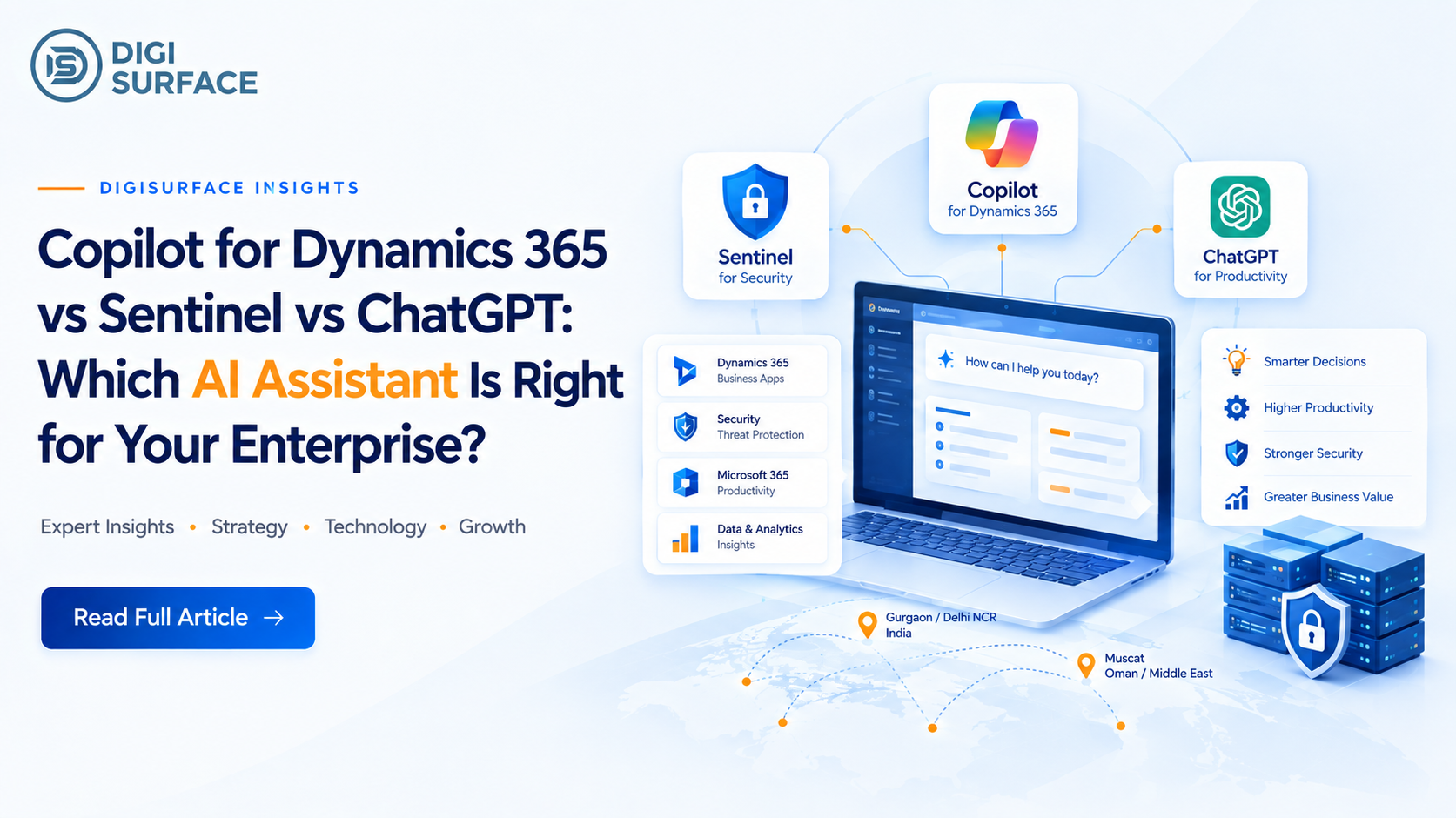
Three very different tools keep landing in the same conversation lately: Copilot for Dynamics 365, ChatGPT, and on-premise ai chatbot alternatives like Sentinel. They get lumped together as “enterprise AI,” but they’re built for different jobs, and picking the wrong one for your situation usually doesn’t show up as a problem on day one. It shows up later, as a data residency gap, a licensing bill that scales badly, or a tool that simply can’t answer the question you actually needed answered. This enterprise AI assistant comparison breaks down what each tool is actually good at, and where the trade-offs really sit.
What Each Tool Actually Is
Copilot for Dynamics 365 is an AI assistant embedded directly inside the Dynamics 365 ecosystem. It works with your existing ERP and Microsoft Graph data to automate finance, operations, and HR workflows invoice summarization, variance analysis, payroll queries but only within the Dynamics 365 environment it’s built into.
ChatGPT is a general-purpose AI chatbot. It’s fast, flexible, and genuinely good at drafting, brainstorming, and answering general knowledge questions, but it has no native connection to your enterprise data, your database, or your documents unless you build that integration yourself.
Sentinel is DigiSurface‘s own AI platform, built specifically to sit on top of an enterprise’s own data banks, real estate firms, and HR departments use it to query databases directly, summarize documents, and get answers in plain English, with the option to run entirely on private AI infrastructure instead of the public cloud.
Copilot vs ChatGPT vs Sentinel: Side-by-Side
Laid out together, the practical differences become clear fast:
Copilot for Dynamics 365
ChatGPT
Sentinel
Best for
Teams already inside Dynamics 365
General tasks, drafting, quick answers
Querying enterprise data directly
Data source
Your D365/ERP data via Microsoft Graph
No native enterprise data connection
Your own database or documents
Deployment
Cloud (Microsoft-hosted)
Cloud only
Cloud or fully on-premise ai
User scaling
Per-user licensing
Per-seat plans
Unlimited users
Query method
Embedded in D365 workflows
Chat interface only
Text-to-SQL, voice, and document Q&A
Data residency control
Tied to Microsoft’s regional data centers
Limited enterprise control
Full control a genuine data residency ai solution
Typical cost model
Per-user-per-month add-on
Per-seat subscription
Lower cost per query, flexible LLM options
Where Copilot for Dynamics 365 Wins
If your business already runs Dynamics 365 Finance & Operations, Copilot has a real advantage: it’s embedded. There’s no new tool to learn, no separate data pipeline to build, and it works directly inside the finance, operations, and HR workflows your team already uses every day. For organizations fully committed to the Microsoft ecosystem, that built-in familiarity is worth something Copilot doesn’t need to be “the best AI in the world” to be the right choice here, it just needs to be good enough and already in the room.
Where ChatGPT Wins
ChatGPT’s strength is speed and flexibility. There’s no setup, no integration, no infrastructure decision to make you open it and it works. For general drafting, brainstorming, summarizing public information, or quick lookups that don’t involve sensitive company data, it’s a genuinely strong tool, and there’s no reason to overcomplicate that use case with something heavier. The limitation only shows up the moment you need it to reason over your own database, your own documents, or data that legally can’t leave your infrastructure.
Where Sentinel Wins
This is where the comparison gets more interesting, because it’s less about which tool is “smarter” and more about which one is actually built for the problem an enterprise usually has: sensitive data, growing headcount, and a real cost ceiling.
Data residency, not just data storage — Sentinel supports full on-premise ai deployment, so data never has to leave the organization’s own infrastructure, which matters directly for on-premise ai for banks and other regulated sectors, and for on premise ai for gcc enterprises navigating strict residency rules
No per-seat penalty — unlimited users means the cost doesn’t climb every time another department gets access, unlike typical per-seat licensing
Ask your own database directly — text-to-SQL and voice querying let someone ask a plain-English question and get an answer, without writing a query or waiting on a report
Document and data Q&A — upload a contract, a policy document, or a dataset, get a summary, and ask follow-up questions against it directly
Lower cost per token or query — because Sentinel isn’t billed like a per-seat SaaS product, high-volume use cases end up meaningfully cheaper at scale, which is exactly where enterprise ai deployment services priced per seat start to hurt
Flexible LLM Options, Matched to the Use Case
One thing that’s easy to miss in this comparison: not every enterprise use case needs the same model. Sentinel supports multiple LLM options depending on what the task actually requires, instead of forcing every query through the same engine.
Use case
Typical LLM approach
High-volume internal Q&A (HR, general staff queries)
Lightweight, cost-efficient model
Regulated financial or compliance queries
Higher-accuracy model with stricter guardrails
Fully offline / no external data transfer
Self-hosted private llm deployment, on-premise only
This flexibility is part of why Sentinel functions less like a single chatbot and more like a configurable layer of ai solutions for enterprise teams can adjust as needs change a bank handling regulated queries and an HR team answering leave questions don’t need to be paying for, or routed through, the same model.
Which One Fits Your Enterprise?
The honest answer depends on what you’re actually trying to solve:
If your team already lives inside Dynamics 365 and just needs faster finance/ops workflows, Copilot is a sensible, low-friction choice. If you need something for general tasks with no sensitive data involved, ChatGPT remains hard to beat on speed and simplicity. But if the real problem is regulated data that can’t leave the country, a growing number of users that make per-seat pricing painful, or a genuine need to query your own systems in plain English — an AI chatbot for HR teams handling payslip questions, an AI assistant for real estate firms managing property and client data, or a bank that can’t risk data leaving its infrastructure — that’s a different problem, and it’s the one Sentinel was built to solve. It’s worth being direct about this: Sentinel isn’t positioned as a like-for-like Dynamics 365 Copilot alternative in every scenario, but where data residency and user scaling are the deciding factors, it’s the more sustainable option.
Frequently Asked Questions
Is Sentinel a replacement for Copilot or ChatGPT?
Not necessarily a like-for-like replacement, it depends on the use case. Copilot works well inside Dynamics 365 workflows, and ChatGPT is strong for general tasks. Sentinel is built specifically for organizations that need to query their own data securely, at scale, without per-seat cost penalties.
Can Sentinel be deployed fully on-premise?
Yes. Sentinel supports fully on-premise deployment, meaning data does not need to be uploaded to the cloud, which is particularly relevant for regulated industries and organizations with strict data sovereignty solutions india and GCC requirements.
Which AI assistant is best for banks and regulated industries?
For regulated industries handling sensitive financial data, an on-premise-capable option like Sentinel is generally better suited than cloud-only tools, since it keeps data within the organization’s own infrastructure and avoids third-party data transfer.
Does ChatGPT meet enterprise data residency requirements?
ChatGPT is a cloud-based, general-purpose tool and does not offer the same level of enterprise data residency control as an on-premise deployment option. Organizations with strict residency requirements typically need a dedicated enterprise or on-premise solution instead.
Choosing the Right Tool Is a Data Decision, Not Just an AI Decision
All three of these tools are genuinely capable; the real question isn’t which one is “best,” it’s which one matches where your data needs to live, how many people need access, and what that access should actually cost as you scale. If your enterprise is weighing a Copilot vs ChatGPT vs Sentinel decision and data residency, user growth, or cost predictability are part of that conversation, it’s worth seeing Sentinel alongside whatever you’re already using.
Book a free consultationwith DigiSurface to map out which setup actually fits your organization.
As the digital landscape continues to evolve, businesses need intelligent tools to improve efficiency and stay competitive. In 2026, Microsoft Dynamics 365, powered by AI-driven Copilot, is helping organizations automate critical business processes across Finance, Operations, and HR.
Businesses using Dynamics 365 Finance & Operations can leverage Copilot to automate finance, supply chain, procurement, and operational workflows while improving accuracy, productivity, and decision-making. Working with an experienced Dynamics 365 consulting partner also helps organizations identify the right Copilot use cases and accelerate successful AI adoption.
This guide explores how Copilot transforms business processes by reducing repetitive work, providing actionable insights, and enabling teams to focus on strategic growth.
What Is Copilot for Dynamics 365?
Microsoft Dynamics 365 Copilot is an AI-powered assistant embedded within Dynamics 365 applications that helps businesses automate routine tasks, analyze enterprise data, generate insights, and improve decision-making. It uses natural language capabilities and business data to support finance, operations, sales, and HR teams in completing tasks faster while reducing manual effort.
Unlike traditional automation tools, Copilot works directly within Dynamics 365 workflows to provide contextual recommendations, summarize information, generate content, and assist employees with everyday business activities.
How Does Copilot Work Inside Dynamics 365 Using Microsoft Graph and ERP Data?
Microsoft Dynamics 365 Copilot combines Microsoft Graph with enterprise ERP data to deliver intelligent recommendations, automation, and real-time insights.
By connecting business data across platforms such as Finance, Sales, and Supply Chain, Copilot helps organizations:
Generate AI-powered insights from existing business data
Automate repetitive workflows and approval processes
Improve decision-making with real-time recommendations
Reduce manual effort across finance and operations processes
Create a connected and intelligent business environment
Through this integration, users experience enhanced connectivity and workflow automation in Power Platform. Within Dynamics 365 Finance & Operations, these AI-driven capabilities help finance and operations teams streamline processes, improve visibility, and respond faster to changing business needs.
What Copilot for D365 Is NOT
Copilot for Dynamics 365 is designed to enhance existing business processes, not replace core systems or human expertise. It is important to understand what Copilot can and cannot do.
Copilot for Dynamics 365 is not designed to:
Replace your ERP system
Operate as a standalone AI chatbot
Make business decisions without human oversight
Eliminate the need for finance, HR, or operations teams
Replace existing approval workflows or governance processes
Instead, Copilot acts as an intelligent assistant that helps employees work more efficiently by automating repetitive tasks and providing relevant insights.
Dynamics 365 Finance Copilot: Automation Use Cases for CFOs
Finance Process
What Copilot Automates
Business Benefit
Accounts Payable
Invoice summarization and anomaly detection
Faster invoice processing with fewer errors
Budget Management
Variance analysis
Quick identification of budget deviations
Financial Reporting
Financial statement drafting from GL data
Reduced manual reporting effort
Collections
Collection letter generation from AR aging reports
Improved cash flow and faster collections
Invoice Summarization and Anomaly Detection in AP
In finance, time equates to value. Copilot’s capabilities significantly streamline invoice processing by summarizing data and alerting teams to anomalies, such as potential fraud or errors. This efficiency in handling accounts payable (AP) translates to faster, more accurate financial operations and mitigates risks associated with manual processing errors. Users can receive an AI-generated summary of their workflow history.
Variance Analysis — “Why Is This Account Over Budget?” Answered in Seconds
With Copilot, conducting variance analysis is swift and insightful. Rather than a labor-intensive investigation, the AI provides instant, clear explanations behind budget discrepancies. This immediacy allows financial teams to act quickly, reinforcing strategic financial health and foresight.
Financial Statement Drafting from GL Data
Generating financial statements can require an exhaustive commitment of resources. Copilot alleviates this by autonomously drafting statements directly from General Ledger (GL) data. The AI ensures that all financial activity is accurately represented, enabling the finance teams to pivot from tedious processes to higher-level financial planning and strategizing.
Collections Letter Generation from AR Aging Reports
For CFOs, managing collections is both an art and a science. Copilot automates the generation of collections letters from accounts receivables (AR) aging reports, ensuring continued positive creditor relationships and timely collections. This automation allows finance teams to ensure consistent cash flows while reducing manual workloads.
Copilot for D365 Operations — What It Automates for COOs
Operations Area
Copilot Automation
Business Benefit
Procurement
Purchase order summarization
Faster purchasing decisions
Supplier Management
Supplier risk alerts
Reduced supply chain disruptions
Inventory
AI-powered replenishment recommendations
Better inventory optimization
Field Service
Next-best-action recommendations
Faster service delivery
Purchase Order Summarization and Supplier Risk Flags
Efficient supply chain management is critical to operational success. Copilot enhances this by summarizing purchase orders and preemptively flagging supplier risks. Whether identifying past due orders or evaluating supplier performance, Copilot provides an edge in managing dynamic market conditions seamlessly and proactively.
Organizations can further extend these capabilities through workflow automation in Power Platform, connecting inventory approvals, purchase requests, and business notifications across Microsoft applications.
Inventory management requires precision and foresight. Copilot uses AI to offer smart replenishment recommendations, enabling businesses to maintain optimum stock levels, curb storage costs, and prevent costly stockouts. Its ability to adapt to new data ensures that inventory decisions are continuously aligned with business objectives and customer demands.
Field Service Agent Support, Next-best-action from Service History
In the field service sector, speed and precision foster customer satisfaction and loyalty. Copilot empowers field agents by analyzing historical data to suggest the next-best action, significantly enhancing the efficiency of service delivery and customer experiences. Dynamics 365 Customer Insights provides real-time, unified customer profiles for accurate decisions. By reducing downtime and field worker guesswork, Copilot contributes to highly streamlined service operations.
Dynamics 365 HR Copilot: AI Automation for HR Teams
Organizations using D365 HR & Payroll for India and GCC can streamline employee support, payroll processing, recruitment, and compliance with AI-powered Copilot capabilities.
HR Function
Copilot Automation
Business Benefit
Employee Support
Leave and payslip query handling
Faster employee assistance
Recruitment
Job description and interview question generation
Faster hiring
Payroll
Payroll variance explanation and compliance flagging
Improved payroll accuracy
Employee Query Handling (Leave Balances, Payslip Queries) via HR Agent
Handling everyday employee queries is both daunting and necessary. Copilot’s HR agents efficiently manage these inquiries, responding to questions about leave balances and payslip details with speed and accuracy. Copilot provides a natural language chat experience for users within finance and operations apps. This AI-driven approach allows HR professionals to allocate their time away from repetitive tasks and towards supporting strategic workforce initiatives.
Job Description Generation and Interview Question Creation
Hiring processes are inherently complex, demanding consistency and clarity. Copilot automates the creation of job descriptions and interview questions, ensuring uniformity and relevance in the hiring process. This efficiency translates into faster recruitment cycles and a streamlined process for talent acquisition teams.
Payroll Variance Explanation and Compliance Gap Flagging
Payroll accuracy is foundational to operational harmony. For businesses running D365 HR & Payroll for India and GCC, Copilot helps explain payroll variances while supporting region-specific compliance requirements. Copilot provides precise explanations for payroll variances and flags compliance gaps in real-time. This oversight safeguards businesses against potential legal or financial repercussions, ensuring adherence to regulatory standards.
Copilot + D365 in India and GCC — What’s Different
Language Support — English, Hindi (Partial), Arabic
Companies using D365 HR & Payroll for India and GCC benefit from localized AI experiences, multilingual support, and payroll compliance assistance tailored to regional regulations. Operating in multilingual regions like India and the GCC necessitates comprehensive language support. Copilot rises to the challenge by supporting English and offering partial functionality in Hindi and Arabic. This commitment to linguistic inclusivity enhances accessibility for businesses operating across diverse cultural landscapes.
GOSI and PF/ESI Compliance Queries in Arabic via Copilot
In markets with complex regulatory environments, such as the GCC, Copilot simplifies compliance by seamlessly handling GOSI-related queries in Arabic. This localization ensures that businesses maintain compliance with their regulatory frameworks without disrupting operational workflows.
What Indian Enterprises Must Check Before Enabling Copilot (Data Residency)
Before enabling Copilot, Indian enterprises should evaluate:
Data residency and storage requirements
Compliance with local regulations
User roles and security permissions
AI governance and access controls
Existing Dynamics 365 environment readiness
Integration with other Microsoft services
How Much Does a Copilot for D365 Cost?
Licensing Model Per User Per Month Add-on
Copilot’s appeal lies in its flexible, scalable pricing model, which features a predictable per-user-per-month fee. This add-on structure allows businesses to tailor their investments based on current needs and growth objectives, facilitating easier adoption and scaling over time. Dynamics 365 Copilot capabilities are licensed separately depending on the application and features enabled. Microsoft 365 Copilot pricing should not be confused with Dynamics 365 Copilot licensing.
When Copilot for D365 Makes Financial Sense (ROI Calculation)
Understanding the ROI is vital when considering Copilot for Dynamics 365. Businesses should evaluate the time and resource savings against the cost, focusing on productivity improvements and process optimizations. With its potential for reducing time-consuming manual processes, Copilot can demonstrate tangible value quickly, often representing a smart investment in operational efficiency.
Beyond Copilot: DigiSurface Also Built Sentinel
Copilot works well within the Dynamics 365 ecosystem, but some organizations have needs that sit outside it stricter data residency requirements, unrestricted user access, or the ability to just ask their own database a question in plain English. For those cases, DigiSurface has built Sentinel, an in-house AI platform designed around exactly this kind of flexibility.
Ask Your Database Anything, in Plain English — text-to-SQL and a voice assistant let users query data directly, no SQL knowledge required
Document and data Q&A — upload a document or dataset, get an instant summary, and ask follow-up questions against it
On-premise deployment available — for organizations that need data to stay fully within their own infrastructure, with no cloud upload required
Unlimited user access — scales across teams without per-seat restrictions
Built for regulated, data-sensitive sectors — currently deployed with banks, real estate firms, and HR departments across India and the Middle East
For teams already exploring AI through Copilot, Sentinel is worth a parallel conversation especially where data residency or organization-wide access matters as much as the automation itself.
What DigiSurface Checks Before Recommending Copilot to D365 Clients
DigiSurface, a front-runner inDynamics 365 consulting, follows a structured evaluation approach before recommending Copilot adoption. The assessment ensures that Copilot aligns with business requirements, technical readiness, and long-term automation goals.
Before recommending Copilot, DigiSurface evaluates:
Business objectives — Understanding whether Copilot supports the organization’s strategic goals and automation priorities.
Current Dynamics 365 implementation — Reviewing existing configurations, customizations, and system readiness.
User adoption readiness — Evaluating whether teams are prepared to use AI-powered capabilities effectively.
Licensing requirements — Assessing the right Copilot licenses and investment structure.
Integration complexity — Reviewing connections with existing Microsoft applications and business systems.
Expected ROI — Measuring potential productivity improvements, process optimization, and operational savings.
Security and compliance needs — Ensuring proper governance, permissions, and regulatory alignment.
This structured evaluation helps organizations determine whether Copilot is the right fit and how it can deliver measurable improvements across finance, operations, and HR processes.
Frequently Asked Questions About Copilot for Dynamics 365
Q1: What does Copilot for Dynamics 365 actually do?
Copilot leverages AI to enhance productivity by automating routine tasks, offering data insights, and transforming large datasets into actionable strategies. As an embedded assistant, it facilitates a seamless transition from traditional methods to sophisticated digital processes.
Q2: Is Copilot included with Dynamics 365 licenses?
No, Copilot is an add-on to standard Dynamics 365 licenses, requiring a separate subscription. This ensures flexibility and aligns with individual business requirements, enhancing the value gleaned from existing Dynamics 365 investments.
Q3: Can Copilot for D365 process Arabic language queries in the GCC?
Yes, Copilot supports Arabic, empowering businesses in the GCC to leverage AI capabilities while ensuring compliance and engagement in their local language, making operations more efficient and culturally adaptive.
Q4: Does Copilot for Dynamics 365 meet GCC data residency requirements?
Microsoft remains committed to meeting stringent regional data residency regulations. Copilot’s architecture ensures that it adheres to these standards, enabling organizations to deploy AI solutions confidently within compliant frameworks.
Q5: How long does it take to enable Copilot in an existing D365 deployment?
The integration of Copilot varies based on organizational needs and architecture but is typically achievable within a few weeks. Post-deployment, benefits like enhanced operational efficiency and streamlined workflows become readily apparent, offering organizations swift returns on investment.
As businesses traverse through 2026, Dynamics 365 Copilot is leading a shift from routine operations to strategic foresight. Organizations that have adopted Dynamics 365 Finance & Operations can maximize the value of Copilot by embedding AI into everyday finance and operational processes. Partnering with a trusted Dynamics 365 consulting provider ensures organizations implement Copilot securely while maximizing long-term business value. Across Finance, Operations, and HR, Copilot brings programmable intelligence to the table, paving the way for smarter business environments. Embracing this level of automation and strategic insight allows businesses to fine-tune operations, boost productivity, and fortify their position in an ever-evolving market. AI’s future is here. When combined with workflow automation in Power Platform, Dynamics 365 Copilot enables end-to-end automation across finance, operations, HR, and enterprise workflows and with Copilot for Dynamics 365, those who adapt will not just survive but thrive in the age of digital transformation. 10 new autonomous agents in Microsoft Dynamics 365.
In the digital age, data is the foundation of decision-making, and the tools that manage and interpret this data are essential for business success. Microsoft Fabric and power bi analytics stand out as the two leading pillars of the Microsoft analytics ecosystem, and getting this choice right shapes the rest of an enterprise’s data strategy. As enterprise IT leaders in regions like India and the GCC assess their analytics strategy, understanding these platforms’ nuances is crucial for aligning with organizational goals.
The Confusion Every Enterprise Is Having Right Now
As organizations look to harness data for competitive advantage, the decision between Microsoft Fabric and Power BI can seem convoluted. Are these platforms in direct competition, or do they serve different roles within the Microsoft suite?
Is Microsoft Fabric replacing Power BI?
Clarifying a common misconception, Microsoft Fabric is not replacing Power BI. Instead, it extends Power BI’s capabilities by integrating it into a greater ecosystem. Microsoft Power BI continues its role as the business intelligence cornerstone, excelling in transforming complex data sets into actionable insights through rich and interactive visual representations. Power BI has over 6 million users, with 97% of Fortune 500 companies utilizing it for data visualization.
Why the two products are not in competition — they serve different layers
While Microsoft Fabric and Power BI are key parts of the analytics environment, they serve distinct layers. Power BI specializes in data visualization and business intelligence, known for its ease of use and strong Microsoft integration, helping organizations quickly gain insights from their data. In contrast, Microsoft Fabric functions as a unified, end-to-end data platform that covers the entire data lifecycle, from ingestion to governance, providing a unified platform for enterprise-scale power bi analytics.
When Power BI alone is enough vs When you need Fabric
Power BI is enough if you:
Need power bi dashboards and interactive reports
Have fewer than 500 report consumers
Already use Excel and Microsoft 365
Don’t require complex ETL pipelines
Want lower licensing costs
Primarily need business intelligence, reporting, and power bi for financial reporting
Choose Microsoft Fabric if you:
Need a unified data intelligence platform
Manage enterprise-scale data engineering
Want real-time analytics
Require centralized governance with OneLake
Plan to replace Azure Synapse or modernize Azure ETL and Data Factory workflows
Are building AI-ready analytics architecture
What Is Microsoft Fabric?
Microsoft Fabric emerges as a multifaceted SaaS platform designed to streamline and unify the enterprise data experience. It incorporates end-to-end analytics capabilities, consolidating processes such as ingestion, transformation, and governance within a single environment. Built upon OneLake’s centralized architecture, Fabric ensures consistent data handling, minimizing silos and providing a comprehensive view across all analytics workloads. This platform integrates with core Microsoft services, including Azure and Dynamics 365, fostering streamlined operational processes and accelerated insights derived from AI models.
Fabric as a unified data platform vs Power BI as a visualization tool
Fabric functions as the backbone, powering comprehensive data operations, while Power BI acts as the accessible visualization component, presenting complex data analytics in intuitive formats for business consumption. Fabric enables enterprises to centralize data governance and foster transparent data workflows across departments. Power BI empowers users to engage with data directly, building interactive and self-service analytical dashboards through power bi dashboards built for everyday business use.
OneLake — the single data lake that changes everything
A game-changer in Microsoft Fabric, OneLake offers a consolidated storage solution designed to optimize enterprise analytics. By adopting Delta Lake format standards, OneLake enables a cohesive data environment — where all segments of an organization access and analyze the same data. This eradicates redundancies and ensures that decisions are made using unified datasets, enhancing inter-departmental collaboration and efficiency.
The workloads Fabric adds that Power BI doesn’t have
Going beyond Power BI’s visualization prowess, Microsoft Fabric offers a suite of critical workloads:
Fabric workload
Purpose
Data Engineering
Spark-based transformations
Data Factory
ETL & orchestration
Data Warehouse
Enterprise SQL analytics
Data Science
ML & notebooks
Real-Time Analytics
Streaming data
OneLake
Unified storage
Power BI vs Microsoft Fabric — Side-by-Side Comparison
When comparing Power BI with Microsoft Fabric, several key dimensions are crucial:
Criteria
Power BI vs Microsoft Fabric — Side-by-Side Comparison
Price per user
Power BI is accessible with user-based pricing options, ranging from Pro to Premium levels. Power BI Premium Per User is priced at $24 per month, while Microsoft Fabric pricing starts at $262 per month for 2 Fabric Capacity Units.
Data engineering capability
Power BI provides essential visualization and basic transformation capabilities, whereas Fabric supports full-scale Spark-based data engineering for complex processing needs.
D365 integration
Both platforms integrate seamlessly with Dynamics 365, although Fabric offers deeper integration facilitating more extensive analytics.
SharePoint embedding
Users can directly embed Power BI dashboards and reports into SharePoint, enhancing collaboration and information sharing within organizations.
Mobile access
Power BI includes a power bi mobile dashboard experience for on-the-go executives, while Fabric’s workloads are primarily accessed through desktop and admin-level tooling.
Synapse replacement
Enterprises aiming to replace Synapse can leverage Fabric’s extensive capabilities, offering an integrated alternative with enhanced performance.
Copilot support
Enhanced Copilot tools enrich the Fabric platform, assisting across various workloads, while Power BI focuses on facilitating interactive data exploration.
Admin complexity
The broader scope of Fabric involves greater complexity, catering to enterprise needs, whereas Power BI remains user-friendly for admins focusing mainly on reporting and visualization.
Licensing model
Power BI provides a user-based licensing approach, unlike Fabric’s capacity-based model suited for extensive, scalable data operations.
Ideal team size
Power BI is suited for smaller teams focused on direct insights, while Fabric caters to larger, multi-functional teams requiring comprehensive data handling.
Recommended starting point
Most enterprises find value beginning with Power BI to address immediate visualization needs, expanding to Fabric as data complexity increases.
When to Stay on Power BI Only (And When to Move to Fabric)
For enterprises evaluating whether to continue with Power BI or transition to Microsoft Fabric, the following guidelines offer clarity:
Stay on Power BI Pro/Premium if: reporting only, fewer than 500 users, no complex ETL
The organization primarily needs robust power bi dashboards and user-friendly reporting.
The team consists of fewer than 500 active users engaging with Power BI analytics solutions.
Current processes do not demand intensive ETL transformations or real-time data processing.
Your organization seeks to replace or enhance current Azure Synapse operations.
Real-time data analytics and immediate decision-making capabilities are priorities.
Fabric is best suited for organisations with complex data environments or long-term AI and analytics ambitions.
The Hybrid Approach DigiSurface Recommends for Most Gurgaon & GCC Enterprises
For most organizations, adopting Power BI and Microsoft Fabric isn’t an either-or decision. The most practical approach is to begin with Power BI Premium for enterprise reporting and interactive dashboards, then expand into Microsoft Fabric as data engineering, governance, and AI requirements grow.
At DigiSurface, we’ve found this phased approach helps enterprises modernize at their own pace while maximizing the value of their existing Microsoft investments. As a microsoft certified partner india and the GCC rely on, our power bi consulting gurgaon team also supports power bi consulting oman saudi clients navigating the same Fabric-versus-Power BI decision from across the region.
As a provider of Microsoft IT consulting services serving Gurgaon, Delhi NCR, and the GCC, DigiSurface helps organizations design scalable enterprise software solutions through:
Power BI dashboards for enterprise reporting, power bi for financial reporting, and executive analytics
Power BI consulting and Microsoft Fabric implementation and architecture consulting
Azure ETL and Data Factory modernization, backed by our it support services india for ongoing reliability
Power BI Premium deployment and capacity optimization
Enterprise data intelligence platform strategy
Ongoing power bi service, analytics support, optimization, and user training
Rather than replacing existing investments overnight, we help organizations build a roadmap that aligns with their business goals, budget, and future analytics requirements. This phased strategy enables businesses to scale confidently from self-service business intelligence to a fully integrated enterprise data intelligence platform powered by Microsoft Fabric.
What Microsoft Fabric Means for Your Azure ETL Investment
Fabric Data Factory as the next evolution of Azure Data Factory
Microsoft Fabric’s Data Factory introduces progressive advancements over the existing Azure Data Factory, including real-time change data capture and enhanced data integration features. These improvements provide businesses with highly efficient tools to handle nuanced data migration and transformation challenges seamlessly.
The March 2026 ADF to Fabric pipeline migration assistant explained
In March 2026, Microsoft launched a migration assistant to streamline the transition from Azure Data Factory to Fabric. This tool simplifies the conversion of existing ETL workflows to Fabric pipelines, reducing the risk of data loss during migration and ensuring business continuity.
Should you migrate your Azure Data Factory pipelines to Fabric now?
Choosing to migrate to Fabric hinges on your organization’s specific requirements and strategic visions. If establishing real-time analytics, improved governance, and an integrated data model is vital, transitioning to Fabric could yield substantial long-term benefits.
In Conclusion
Making a choice between Microsoft Power BI and Microsoft Fabric involves evaluating the specific power bi analytics needs and strategic goals of your organization. While Power BI excels in providing intuitive and accessible data visualization solutions, Microsoft Fabric is designed for enterprises requiring extensive data integration, enhanced governance, and the ability to conduct complex analytics operations.
Most enterprises may find a phased approach, starting with Power BI and progressing to Microsoft Fabric — as an optimal strategy to expand capabilities while managing costs effectively. With these platforms, Microsoft continues to support enterprises in building a robust analytics infrastructure that powers informed decision-making and innovation.
In this data-driven age, embracing the right tools is more than a technical choice — it is a strategic investment in your organization’s capacity to thrive and adapt to tomorrow’s challenges.
Frequently Asked Questions
Is Microsoft Fabric replacing Power BI?
No, Microsoft Fabric does not replace Power BI. Rather, it incorporates Power BI within its broader analytics platform, enhancing Power BI’s visualization capabilities with additional data management and processing functions.
How much does Microsoft Fabric cost compared to Power BI?
Power BI features affordable user-based pricing, starting at approximately $14 per user per month. Microsoft Fabric employs a capacity-based pricing model, which can be more beneficial for larger enterprises or those with significant data needs.
Does Microsoft Fabric work with Dynamics 365?
Indeed, Microsoft Fabric integrates with Dynamics 365, allowing organizations to utilize data from D365 applications within their analytics framework, driving deeper and more insightful decisions.
Is Azure Data Factory being replaced by Microsoft Fabric?
Microsoft Fabric is not replacing Azure Data Factory outright; rather, it offers an evolved version with enhanced ETL functionalities and deeper integration within the Microsoft ecosystem.
What is OneLake in Microsoft Fabric?
OneLake acts as the unified storage layer within Microsoft Fabric, consolidating data for more efficient management and analysis, and enabling shared access and collaboration across the enterprise.