
Most SharePoint migration and upgrade projects don’t fail during the move itself. They fail three weeks before cutover, when a step everyone assumed was “someone else’s job” never got done a permission map nobody documented, an integration nobody tested. This isn’t a “should you migrate” article. It’s a pre-cutover checklist for IT managers who’ve already committed to the move and need to get execution, validation, and security right the first time.
What a SharePoint Migration and Upgrade Actually Involves
To migrate SharePoint to Microsoft 365 is more than copying files into a new environment. It covers content migration, permissions and security remapping, metadata and version history preservation, and a validation pass to confirm everything actually works post-move. A simple file copy misses most of this permissions don’t carry over automatically, metadata can be dropped, and third-party integrations often break silently. Treating migration as “just moving files” is where most pre-cutover problems start.
Why Pre-Cutover Planning Matters More Than the Migration Itself
Most SharePoint migration failures trace back to skipped planning, not technical errors during the move. Broken permissions, lost metadata, and orphaned links are rarely caused by the migration tool they’re caused by nobody mapping the current environment before touching it. The technical move is often the easy part; the planning that should happen weeks earlier is where cutover dates actually get protected or lost.
The Pre-Cutover Checklist: What to Validate Before You Migrate
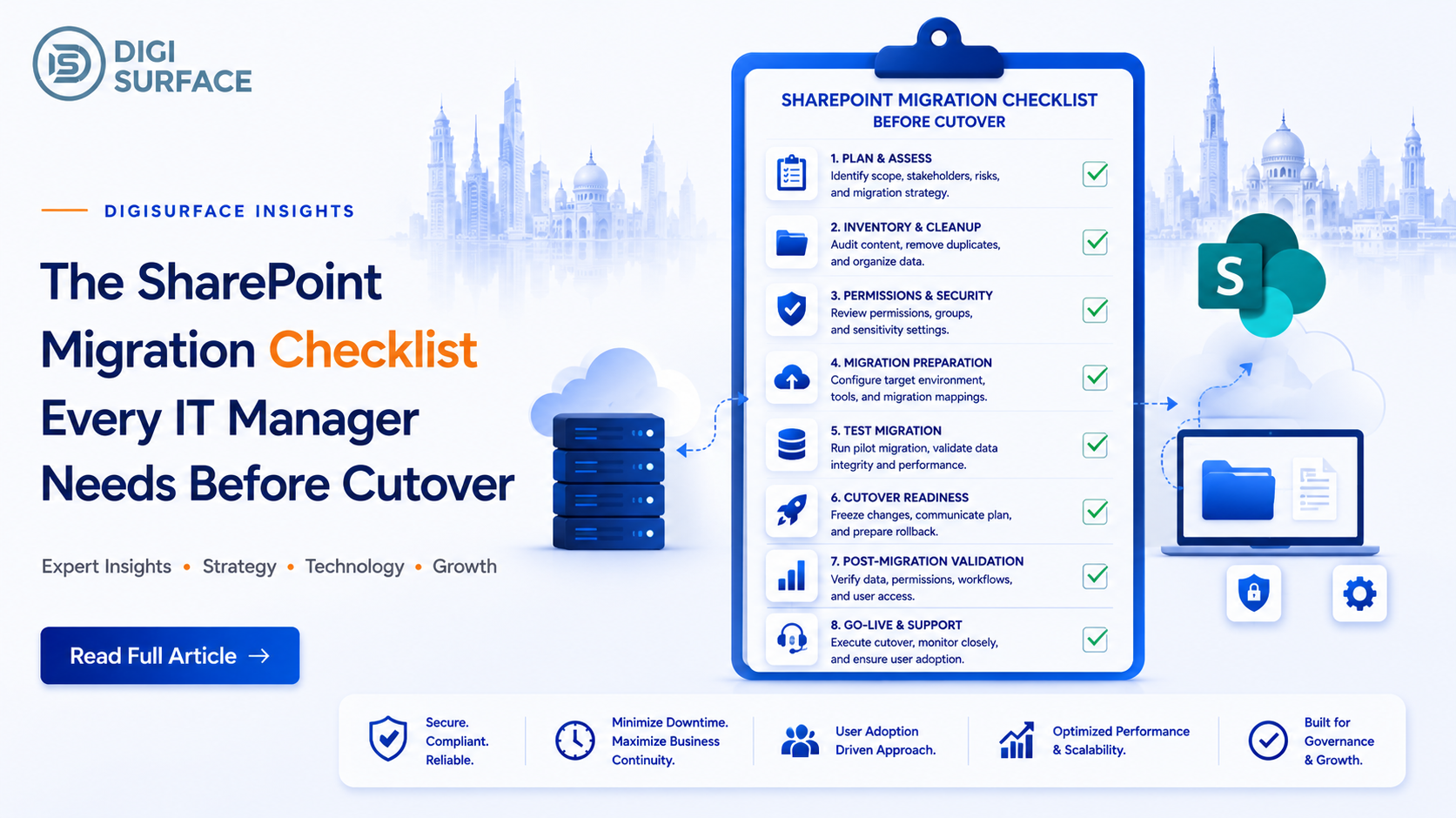
Before scheduling a cutover date, confirm each of these is done:
- Content audit and cleanup– identify stale, duplicate, or redundant content before migrating it
- Permissions and access mapping– document the current structure before it’s rebuilt in SharePoint Online
- Metadata and version history plan– confirm what carries over and what doesn’t
- Third-party integration inventory– list every connected tool that needs to keep working
- Stakeholder communication plan– who needs advance notice, and what the fallback is
- Test migration– a pilot run on a representative subset before the real one
Security and Compliance Checks Before Cutover
Migration isn’t just a content move, it’s a chance to either fix or inherit security gaps. Before cutover, confirm:
- Access controls carry over correctly rather than defaulting to overly broad permissions in the new environment
- Data residency requirements are preserved critical for regulated industries, not something to assume carries over automatically
- Compliance settings are validated, not just copied a cutover that quietly loosens security just fails less visibly, until it doesn’t
SharePoint Migration Readiness: Common Mistakes That Delay Cutover
| Mistake | Why It Delays Cutover |
| No content audit | Clutter and stale data slow validation |
| Skipping a pilot migration | Issues surface only after full cutover |
| No rollback plan | A failed cutover has no clear path back |
| Underestimating integrations | Connected tools break, discovered too late |
| No communication plan | Users hit broken links with no warning |
DIY Migration vs Working With an Enterprise SharePoint Migration Partner
DIY migration can work for small, simple environments with few integrations. Beyond that, an enterprise SharePoint migration partner typically brings a repeatable pre-cutover process, structured permission mapping, and rollback planning most internal teams build from scratch under deadline pressure.
| DIY Migration | Enterprise SharePoint Migration Partner | |
| Pre-cutover process | Built from scratch, under time pressure | Repeatable, tested process |
| Permission handling | High risk of manual error | Structured mapping and validation |
| Rollback planning | Often missing | Built in from the start |
| Best for | Small, simple environments | Complex or regulated environments |
How DigiSurface Supports Enterprise SharePoint Migration and Upgrade Projects
As a Microsoft IT consulting partner working across India and the GCC, DigiSurface’s SharePoint migration engagements are built around the exact checklist above, not a generic move-and-hope process. Support includes:
- Pre-cutover content and permissions audit– mapping what exists before anything moves
- Pilot migration and validation– testing on a representative subset before full cutover
- Rollback planning– a documented path back if cutover doesn’t go as expected
- Post-migration verification– confirming integrations and access controls work correctly after cutover
Frequently Asked Questions
What’s the difference between a SharePoint migration and a SharePoint upgrade?
A migration moves content between environments, such as on-premise SharePoint to SharePoint Online. An upgrade updates an existing SharePoint version without necessarily changing environments. Many enterprise projects involve both at once.
How long does it take to migrate SharePoint to Microsoft 365?
Timelines vary by content volume, number of integrations, and permission complexity. A small, well-planned migration can take weeks; a large enterprise environment with heavy customization can take several months, especially with a proper pilot phase included.
Will permissions and metadata transfer automatically during migration?
Not reliably. Permissions and metadata often need to be explicitly mapped and validated during migration, since a simple content copy frequently drops or misapplies both, causing access issues after cutover.
Do I need an enterprise SharePoint migration partner for a small migration?
Not necessarily. Small, low-complexity environments with few integrations can often be migrated internally. Larger or regulated environments typically benefit more from a partner’s structured process and rollback planning.
Close the Gaps Before Cutover, Not After
If your cutover date is set and any part of this checklist still has gaps, that’s the moment to close them, not after users are already locked out of broken links.
Book a consultation with DigiSurface to validate your SharePoint migration and upgrade plan before you commit to a cutover date.