
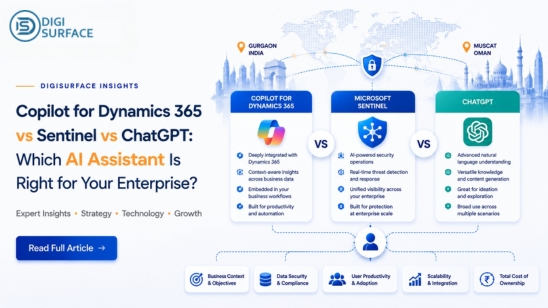
Three very different tools keep landing in the same conversation lately: Copilot for Dynamics 365, ChatGPT, and on-premise ai chatbot alternatives like Sentinel. They get lumped together as “enterprise AI,” but they’re built for different jobs, and picking the wrong one for your situation usually doesn’t show up as a problem on day one. It shows up later, as a data residency gap, a licensing bill that scales badly, or a tool that simply can’t answer the question you actually needed answered. This enterprise AI assistant comparison breaks down what each tool is actually good at, and where the trade-offs really sit.
What Each Tool Actually Is
Copilot for Dynamics 365 is an AI assistant embedded directly inside the Dynamics 365 ecosystem. It works with your existing ERP and Microsoft Graph data to automate finance, operations, and HR workflows invoice summarization, variance analysis, payroll queries but only within the Dynamics 365 environment it’s built into.
ChatGPT is a general-purpose AI chatbot. It’s fast, flexible, and genuinely good at drafting, brainstorming, and answering general knowledge questions, but it has no native connection to your enterprise data, your database, or your documents unless you build that integration yourself.
Sentinel is DigiSurface‘s own AI platform, built specifically to sit on top of an enterprise’s own data banks, real estate firms, and HR departments use it to query databases directly, summarize documents, and get answers in plain English, with the option to run entirely on private AI infrastructure instead of the public cloud.
Copilot vs ChatGPT vs Sentinel: Side-by-Side
Laid out together, the practical differences become clear fast:
| Copilot for Dynamics 365 | ChatGPT | Sentinel | |
| Best for | Teams already inside Dynamics 365 | General tasks, drafting, quick answers | Querying enterprise data directly |
| Data source | Your D365/ERP data via Microsoft Graph | No native enterprise data connection | Your own database or documents |
| Deployment | Cloud (Microsoft-hosted) | Cloud only | Cloud or fully on-premise ai |
| User scaling | Per-user licensing | Per-seat plans | Unlimited users |
| Query method | Embedded in D365 workflows | Chat interface only | Text-to-SQL, voice, and document Q&A |
| Data residency control | Tied to Microsoft’s regional data centers | Limited enterprise control | Full control a genuine data residency ai solution |
| Typical cost model | Per-user-per-month add-on | Per-seat subscription | Lower cost per query, flexible LLM options |
Where Copilot for Dynamics 365 Wins
If your business already runs Dynamics 365 Finance & Operations, Copilot has a real advantage: it’s embedded. There’s no new tool to learn, no separate data pipeline to build, and it works directly inside the finance, operations, and HR workflows your team already uses every day. For organizations fully committed to the Microsoft ecosystem, that built-in familiarity is worth something Copilot doesn’t need to be “the best AI in the world” to be the right choice here, it just needs to be good enough and already in the room.
Where ChatGPT Wins
ChatGPT’s strength is speed and flexibility. There’s no setup, no integration, no infrastructure decision to make you open it and it works. For general drafting, brainstorming, summarizing public information, or quick lookups that don’t involve sensitive company data, it’s a genuinely strong tool, and there’s no reason to overcomplicate that use case with something heavier. The limitation only shows up the moment you need it to reason over your own database, your own documents, or data that legally can’t leave your infrastructure.
Where Sentinel Wins
This is where the comparison gets more interesting, because it’s less about which tool is “smarter” and more about which one is actually built for the problem an enterprise usually has: sensitive data, growing headcount, and a real cost ceiling.
- Data residency, not just data storage — Sentinel supports full on-premise ai deployment, so data never has to leave the organization’s own infrastructure, which matters directly for on-premise ai for banks and other regulated sectors, and for on premise ai for gcc enterprises navigating strict residency rules
- No per-seat penalty — unlimited users means the cost doesn’t climb every time another department gets access, unlike typical per-seat licensing
- Ask your own database directly — text-to-SQL and voice querying let someone ask a plain-English question and get an answer, without writing a query or waiting on a report
- Document and data Q&A — upload a contract, a policy document, or a dataset, get a summary, and ask follow-up questions against it directly
- Lower cost per token or query — because Sentinel isn’t billed like a per-seat SaaS product, high-volume use cases end up meaningfully cheaper at scale, which is exactly where enterprise ai deployment services priced per seat start to hurt
Flexible LLM Options, Matched to the Use Case
One thing that’s easy to miss in this comparison: not every enterprise use case needs the same model. Sentinel supports multiple LLM options depending on what the task actually requires, instead of forcing every query through the same engine.
| Use case | Typical LLM approach |
| High-volume internal Q&A (HR, general staff queries) | Lightweight, cost-efficient model |
| Regulated financial or compliance queries | Higher-accuracy model with stricter guardrails |
| Fully offline / no external data transfer | Self-hosted private llm deployment, on-premise only |
| Region-specific queries (India/GCC, Arabic support) | Locally deployed model tuned for regional context |
This flexibility is part of why Sentinel functions less like a single chatbot and more like a configurable layer of ai solutions for enterprise teams can adjust as needs change a bank handling regulated queries and an HR team answering leave questions don’t need to be paying for, or routed through, the same model.
Which One Fits Your Enterprise?
The honest answer depends on what you’re actually trying to solve:
If your team already lives inside Dynamics 365 and just needs faster finance/ops workflows, Copilot is a sensible, low-friction choice. If you need something for general tasks with no sensitive data involved, ChatGPT remains hard to beat on speed and simplicity. But if the real problem is regulated data that can’t leave the country, a growing number of users that make per-seat pricing painful, or a genuine need to query your own systems in plain English — an AI chatbot for HR teams handling payslip questions, an AI assistant for real estate firms managing property and client data, or a bank that can’t risk data leaving its infrastructure — that’s a different problem, and it’s the one Sentinel was built to solve. It’s worth being direct about this: Sentinel isn’t positioned as a like-for-like Dynamics 365 Copilot alternative in every scenario, but where data residency and user scaling are the deciding factors, it’s the more sustainable option.
Frequently Asked Questions
Is Sentinel a replacement for Copilot or ChatGPT?
Not necessarily a like-for-like replacement, it depends on the use case. Copilot works well inside Dynamics 365 workflows, and ChatGPT is strong for general tasks. Sentinel is built specifically for organizations that need to query their own data securely, at scale, without per-seat cost penalties.
Can Sentinel be deployed fully on-premise?
Yes. Sentinel supports fully on-premise deployment, meaning data does not need to be uploaded to the cloud, which is particularly relevant for regulated industries and organizations with strict data sovereignty solutions india and GCC requirements.
Which AI assistant is best for banks and regulated industries?
For regulated industries handling sensitive financial data, an on-premise-capable option like Sentinel is generally better suited than cloud-only tools, since it keeps data within the organization’s own infrastructure and avoids third-party data transfer.
Does ChatGPT meet enterprise data residency requirements?
ChatGPT is a cloud-based, general-purpose tool and does not offer the same level of enterprise data residency control as an on-premise deployment option. Organizations with strict residency requirements typically need a dedicated enterprise or on-premise solution instead.
Choosing the Right Tool Is a Data Decision, Not Just an AI Decision
All three of these tools are genuinely capable; the real question isn’t which one is “best,” it’s which one matches where your data needs to live, how many people need access, and what that access should actually cost as you scale. If your enterprise is weighing a Copilot vs ChatGPT vs Sentinel decision and data residency, user growth, or cost predictability are part of that conversation, it’s worth seeing Sentinel alongside whatever you’re already using.
Book a free consultation with DigiSurface to map out which setup actually fits your organization.